


A custom jewelry configurator is a web-embedded design builder that lets buyers create production-ready jewelry online, generating a quote, a bill of materials, and a CAD-exportable file in one session. For B2B wholesale operations, three capabilities are non-negotiable: a parametric engine that recalculates geometry instantly, real-time inventory and pricing sync so every quote reflects live wholesale costs, and automatic BOM/CAD export so the order moves straight to production. Platforms like Jewelcloud’s RingBuilder®, 3DESIGN, and tools like JewelerStudio each approach this differently. Before you commit to any of them, pilot one SKU family end-to-end, from design session to factory-ready file, before signing a full contract.
- Demand a live parametric demo (resize a ring; stone seat must recalculate automatically)
- Confirm real-time pricing sync against your wholesale feed
- Export a STEP or STL file from the demo and verify it opens in your CAM tool
Table of Contents
- What does a custom jewelry configurator actually do for B2B sales?
- What technical components should you require in a configurator?
- What product data do you need before integration?
- How long does implementation take, and what does it cost?
- How do you design a configurator that actually converts?
- How do you make sure configured designs are actually manufacturable?
- How do you choose the right vendor? A practical checklist
- Jewelcloud makes the pilot practical for B2B retailers
- Key Takeaways
- The part most buyers get wrong
- Useful sources for technical teams and procurement
What does a custom jewelry configurator actually do for B2B sales?
The biggest operational drag in custom jewelry sales is email. Buyers send inspiration photos; sales reps interpret them; quotes go back and forth for days. A self-service online jewelry customization tool collapses that cycle. Buyers configure a piece themselves, the system validates every combination against manufacturing rules, and a production-ready quote lands in your CRM automatically. The leads that come through are far more qualified because the buyer has already committed time and design intent.
On the merchandising side, configurators let retailers offer wider assortments without holding physical inventory. A retailer can present hundreds of ring combinations from a single parametric template, each priced correctly from the wholesale feed. New collections launch faster because you’re publishing a template and a data feed, not photographing 200 SKUs.
Industry practitioners report that the primary friction in custom jewelry sales is the email-heavy back-and-forth. Customers now expect self-service design that captures qualified leads on-site, with deposits, before a sales rep is ever involved.
Pro Tip: Route configurator leads by configuration value. A session that selects a 2-carat center stone and platinum setting should trigger an immediate sales notification, not a generic drip sequence.
What technical components should you require in a configurator?
The parametric engine is the foundation. Unlike static 3D models, a parametric engine lets designers modify ring size, prong count, or stone dimensions instantly without rebuilding the model from scratch. 3DESIGN’s parametric approach enables cross-platform compatibility and instant recalculation, which is exactly what you need to demonstrate in a vendor demo.
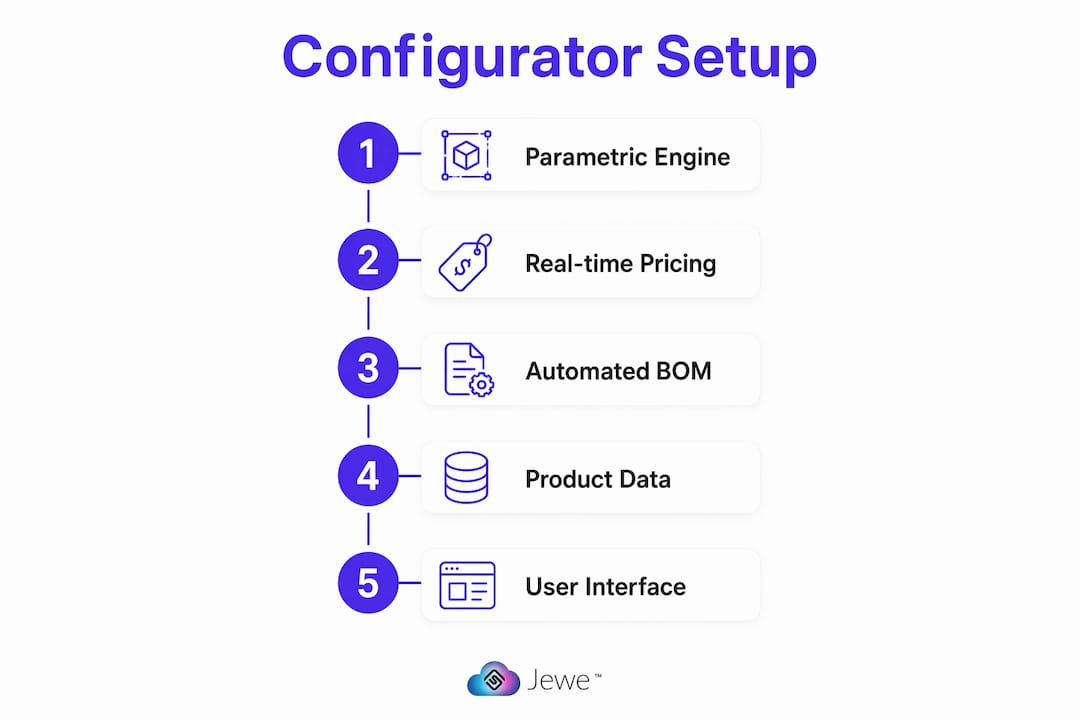
Real-time 3D rendering is the next layer. Pre-rendered images are faster to load but break the moment a buyer selects an unusual combination. Photoreal real-time rendering handles every combination dynamically, though it requires more client-side processing. For mobile, a hybrid approach, high-quality pre-renders for common combinations and real-time for edge cases, usually performs better.
Rules-based logic is what keeps the configurator honest. According to Configurator.tech, rules-based logic, dynamic pricing, and 2D/3D visualization are core capabilities of modern jewelry configurators. The rules engine must block invalid combinations, such as a bezel setting that cannot physically hold the selected stone diameter, before the buyer ever sees a price.
- Parametric engine with instant recalculation (no manual rebuilds)
- Real-time or hybrid 3D rendering with mobile fallback
- Rules engine that validates manufacturability before quoting
- Dynamic pricing API connected to your wholesale feed
- Developer API access, sandbox environment, and export in STEP/STL/DWG formats
Pro Tip: During any vendor demo, ask the rep to change the ring size by two full sizes and watch whether the stone seat geometry updates automatically. If it requires manual adjustment, the engine is not truly parametric.
What product data do you need before integration?
Every SKU in a configurator needs a canonical attribute set. Missing or inconsistent data is the most common reason implementations stall.
| Source Feed Attribute | Configurator Attribute | Notes |
|---|---|---|
| SKU / item number | Configurator product ID | Must be unique and stable |
| Metal type + karat | Material selector | Map alloy codes to display labels |
| Metal weight (grams) | BOM weight field | Required for pricing and manufacturing |
| Stone type / shape / size | Stone library entry | Drives rules-engine validation |
| Stock status + lead time | Availability gate | Prevents quoting unavailable combos |
| Wholesale price rules | Dynamic price calculator | Must sync near real-time |
| Production tolerances | Manufacturability rules | Feeds rules engine constraints |
| 3D asset / image | Renderer asset | GLTF or OBJ preferred |
Pricing sync cadence matters. File-feed updates once a day create windows where a buyer can configure and quote a combination that is already out of stock or mispriced. API-based sync, pulling from your product feed on every session, closes that gap. The tradeoff is engineering complexity, but for wholesale operations where a single mispriced quote can cost thousands, it is worth it.
Pro Tip: Automate BOM and metal weight calculations directly from your canonical product attributes. If weight is derived manually at order time, you will accumulate errors at scale.
How long does implementation take, and what does it cost?
Realistic timelines depend heavily on how clean your product data is and how many SKU families you are launching with.
- Discovery (1–2 weeks): Audit product data, define attribute mapping, identify rules-engine constraints
- Modeling and mapping (2–3 weeks): Build parametric templates, map source feed to configurator attributes
- Integration (2–3 weeks): Connect pricing API, inventory feed, and BOM export pipeline
- Pilot (6–10 weeks total): Launch one SKU family, test end-to-end from design session to CAD export
- Iterate and full launch (3–6 months): Expand SKU families, refine UX, harden SLAs
Cost buckets vary by vendor and scope. Licensing or subscription fees, setup and 3D modeling work, integration engineering, and ongoing support each carry their own line item. 3D asset creation, converting existing CAD files into configurator-ready assets, is often the largest one-time cost and the most underestimated.
Vendors who quote a flat “all-in” price without separating asset creation from engineering are usually bundling a cost you will pay for in timeline delays instead.
Pro Tip: Scope your pilot by SKU family, not by number of SKUs. One family with 20 combinations teaches you more about integration friction than 20 individual SKUs from different categories.
How do you design a configurator that actually converts?
The best configurators guide buyers through a linear decision flow: metal type, setting style, stone shape, stone size, finish. Each step narrows the next, so the buyer never faces a blank canvas. Smart defaults and curated collections reduce decision paralysis and improve conversion, a principle that applies equally to B2B buyers configuring wholesale orders and consumers building engagement rings.
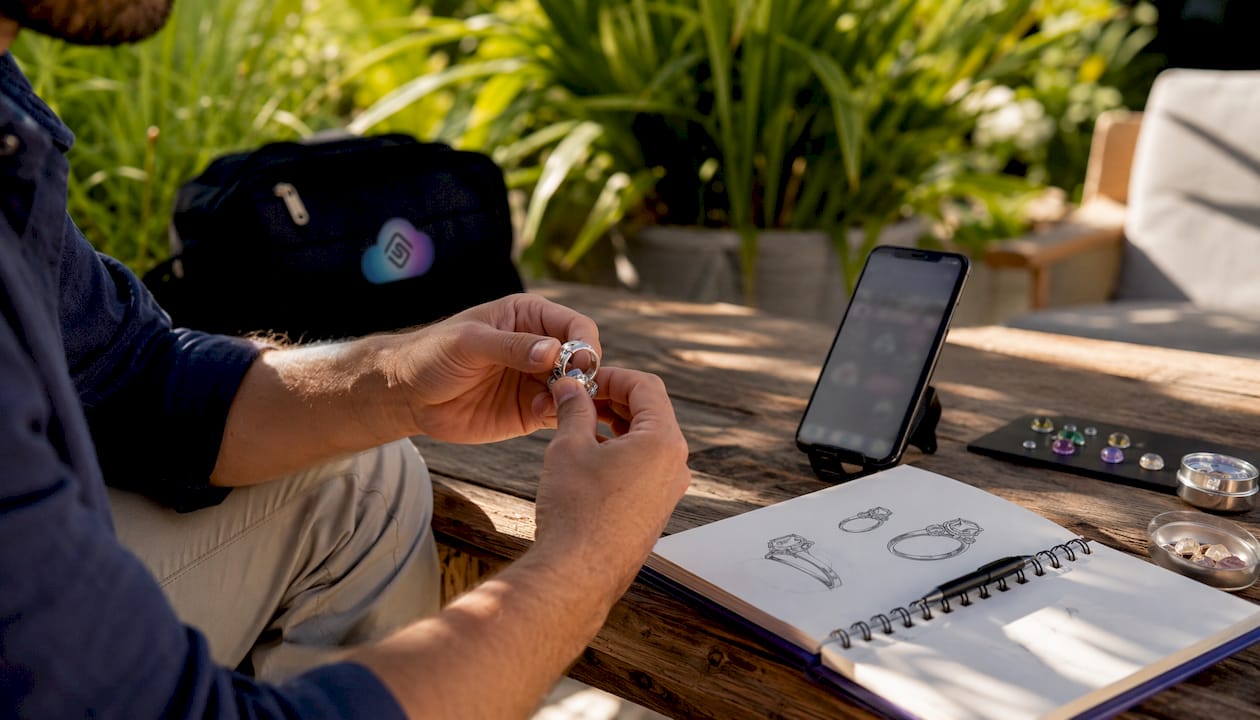
Mobile experience deserves specific attention. Keep touch targets large, limit real-time geometry rendering on phones, and use progressive disclosure so the configurator does not front-load every option at once. A buyer configuring a $15,000 ring on a phone should feel as confident as one on a desktop.
Lead capture should happen at the moment of highest intent, right after the buyer completes a configuration, not at the start. Capture the full configuration metadata, stone specs, metal, setting, estimated price, and route it to your sales team with context. Save-for-later functionality increases return visits and gives your team a warm lead with a documented design.
Pro Tip: Track configurator session-to-order rate and lead-to-production conversion as separate metrics. Session-to-order tells you about UX quality; lead-to-production tells you about manufacturing handoff quality.
How do you make sure configured designs are actually manufacturable?
Automated BOM generation on checkout is the feature that separates a marketing tool from a production tool. When a buyer completes a configuration, the system should output a complete bill of materials, metal weight, stone specifications, prong count, assembly notes, and a 2D drawing, without anyone typing a thing.
- Buyer completes configuration; rules engine validates all constraints
- System generates BOM with metal weight, stone specs, and assembly notes
- STEP or IGES file exports automatically with embedded metadata
- Production team receives file package; CAM prep begins without clarification emails
- Manufacturing proceeds from a single source of truth
Common handoff pitfalls to test in your pilot: stone seat diameter that does not match the selected stone’s girdle, prong heights that conflict with the selected stone depth, and metal weight calculations that do not account for finishing stock. Run each of these scenarios deliberately during the pilot phase.
Pro Tip: Insist on one-click export to your factory’s CAM tool as a pilot acceptance criterion. If the export requires manual cleanup before CAM import, the integration is not production-ready.
How do you choose the right vendor? A practical checklist
The single most revealing demo moment is asking a vendor to export a STEP file from a configured SKU and open it in your CAM tool on the spot. Vendors who hesitate or redirect to a “follow-up call” are telling you the export workflow is not ready.
- [ ] Live parametric demo: resize a ring two sizes; stone seat must update without manual work
- [ ] Real-time pricing demo: change metal type and watch the price recalculate from your feed
- [ ] BOM/CAD export proof: export a STEP file and verify it opens in your CAM software
- [ ] Sandbox or demo environment you can access independently after the call
- [ ] Published API documentation with authentication, endpoints, and rate limits
- [ ] At least one client reference in a comparable wholesale or manufacturing context
- [ ] Written SLA covering uptime and support response time
- [ ] Roadmap transparency: ask what parametric template authoring looks like in 12 months
Pro Tip: Ask vendors for their feed-mapping documentation before the demo. A vendor who can hand you a mapping spec on day one has done this before. A vendor who needs to “scope it out” is learning on your timeline.
Jewelcloud makes the pilot practical for B2B retailers
Jewelcloud is built specifically for the B2B wholesale jewelry market, which means the product data infrastructure is already structured for the complexity configurators require. The JewelCloud product feed delivers standardized attributes, metal weights, stone specs, and pricing rules in a format that maps directly to configurator requirements without a custom data transformation layer.

RingBuilder® gives retailers a ring-design tool that connects to Jewelcloud’s structured feed, so pricing and inventory reflect real wholesale data from day one. For retailers who need a full web presence alongside the configurator, vendor web design services handle deployment so your team is not managing a separate engineering project. Client references, API documentation, and demo sandbox access are available before you commit to a full rollout. Bring a sample product feed and your CAD requirements to the first conversation, and Jewelcloud’s team will map the integration against your pilot SKU family. Request a demo to get started.
Key Takeaways
A custom jewelry configurator delivers B2B value only when a parametric engine, real-time pricing sync, and automated BOM export work together as a single production pipeline.
| Point | Details |
|---|---|
| Demand a parametric demo | Ask the vendor to resize a ring live; stone seat geometry must recalculate automatically. |
| Supply a canonical product feed | Map SKU, metal weight, stone specs, and price rules before integration begins. |
| Pilot one SKU family first | A 6–10 week pilot on one family reveals integration friction before full rollout. |
| Verify BOM/CAD export | Require a one-click STEP export that opens in your CAM tool as a pilot acceptance criterion. |
| Jewelcloud for B2B pilots | Jewelcloud’s structured feed and RingBuilder® connect wholesale data to configurator templates without a custom data layer. |
The part most buyers get wrong
Most procurement teams evaluate configurators as a marketing feature. They look at render quality and mobile experience, both of which matter, but they skip the manufacturing handoff entirely. The demo looks great; the pilot stalls because the STEP export requires manual cleanup before the CAM tool accepts it.
The change management side is just as underestimated. Your sales team needs a new script. Instead of “let me send you some options,” the conversation becomes “here’s your design link, configure it and I’ll call you when you save it.” That shift requires training, and it requires your sales managers to believe the configurator produces qualified leads, not just pretty renders. Run the pilot with one sales rep who is already a champion, measure their lead-to-production conversion against the team average, and use that data to bring the rest of the team along.
Production teams need a review cycle built around the new BOM format. The first few orders should go through a manual review even when the export looks clean. Build that review step into your pilot acceptance criteria, then remove it once you have confirmed the rules engine is catching every invalid combination.
Pro Tip: Set a 30-day internal training cadence: week one for sales scripts, week two for production review, week three for live orders, week four for a retrospective. Sign-off on pilot success should require both the sales lead and the production manager to agree the handoff is clean.
Useful sources for technical teams and procurement
- 3DESIGN — Primary reference for parametric engine capabilities and cross-platform CAD compatibility. Review before any demo that claims parametric recalculation.
- Configurator.tech Jewelry — Detailed breakdown of rules-based logic, BOM generation, and e-commerce integration patterns. Use as a feature checklist during vendor RFP evaluation.
- Salsita Jewelry Configurator — Industry perspective on balancing creative freedom with manufacturability constraints and UX curation.
- JewelerStudio — Reference for AI-assisted design and embeddable 3D builders focused on lead capture and deposit workflows.
- Jewelcloud RingBuilder® — Product page for Jewelcloud’s ring-design tool; request sandbox access and bring a sample feed to the first call.
- Jewelcloud Product Feed — Technical reference for how Jewelcloud structures and distributes product data; review attribute mapping documentation before integration scoping.