


A jewelry shop that centralizes every custom commission into a single order record with milestone tracking, integrated inventory and BOM data, client approvals, and deposit controls will cut missed deadlines and disputes by the largest margin. Everything else, faster quoting, better staff communication, cleaner audits, flows from that one decision.
If you’re managing custom order management jewelry workflows on sticky notes, group texts, and a spreadsheet someone updates “when they get a chance,” you already know where the wheels come off. Orders stall in the sketch phase. A client-supplied diamond goes missing between the safe and the bench. Nobody remembers who approved the CAD file.
Three things to do this week:
- Standardize your stage names across every order type so “in production” means the same thing to every employee.
- Require a deposit before any quote converts to a work order, and log proof of payment against that record.
- Add one approval checkpoint, a photo or CAD sign-off, before metal gets cut or cast.
A structured order management process that treats each commission as one accountable record, from quote to certificate, avoids the lost details that turn a five-star client into a chargeback dispute. JewelCloud and small-business cybersecurity guidance from the FCC both matter here: one gives you the operational backbone, the other reminds you that vendor software touching client payment data needs a security review before you sign anything.
Key Takeaways
A jewelry shop reduces missed deadlines and client disputes most reliably by combining a centralized order record, milestone tracking, deposit controls, and documented client approvals into one system.
| Point | Details |
|---|---|
| Centralize the order record | Every custom order needs one record covering customer data, BOM, CAD files, photos, and payments. |
| Require deposits and receipts | Log proof of payment and signed receipts for any client-supplied metal or stones. |
| Match workflow to order type | Bespoke, repair, wholesale, and ecommerce orders need distinct approval and routing logic. |
| Pilot before full rollout | Test one order type with one or two artisans for 30 days before integrating POS and ecommerce systems. |
| JewelCloud supports the data layer | Vendor data sync and standardized product feeds keep BOM and inventory accuracy intact across custom orders. |
Table of Contents
- What Does Custom Order Management Jewelry Software Actually Track?
- How Do Bespoke, Repair, and Wholesale Orders Differ in Workflow?
- Rolling Out a New Order System Without Disrupting Your Shop
- Which Integrations Actually Reduce Delays and Errors?
- Protecting Client Property: Deposits, Custody, and Access Controls
- How JewelCloud Fits This Checklist
- Handling Design Changes and Cancellations Without Losing the Client
- Setting Delivery Timelines Clients Can Actually Trust
- Quality Control Beyond the Basics: Sizing and Certification
- Keeping Client, Designer, and Craftsman on the Same Page
- What Metrics Actually Tell You the System Is Working
- Editorial Take: Where Most Shops Get This Wrong
- Getting Started With JewelCloud
- Practical Resources and Internal Pages to Consult Next
- Sources
What Does Custom Order Management Jewelry Software Actually Track?
The fields you choose to track determine whether your shop remembers a promise six weeks from now or loses it in somebody’s inbox. A proper jewelry management software record isn’t a glorified invoice. It’s the single source of truth for a project that might touch four people, three vendors, and a client who calls twice a week wanting updates.
Here’s what belongs on every custom order:
- Customer record with contact preferences, communication history, and any special handling notes (allergies to certain metals, ring size adjustments from a prior visit).
- Order type and promised delivery date, distinct from an internal target date, because those two numbers should never be the same.
- Deposit amount and payment schedule, tied to a payment method and timestamp for the audit trail.
- Bill of materials (BOM) listing every stone, metal weight, and finding, plus material lot numbers for anything client-supplied.
- CAD files or hand sketches, version-stamped so a revised design never gets confused with the original approval.
- Stage photos, captured at wax, cast, and set, not just a single “before and after” pair.
- Artisan or bench assignment, so you know exactly who touched the piece and when.
The metal lot numbers matter more than most shops realize. When a client brings in their grandmother’s gold for a remount, and something goes wrong later, a documented lot number and weight at intake is the difference between a five-minute conversation and a small-claims filing. Bench-level industry practice recommends capturing a wax-stage photo, weight, and serial number as the seed data for the final certificate, not an afterthought added at delivery.
Pro Tip: Tie your quoting tool to live gold and diamond rate feeds instead of a static price sheet. A quote built on last month’s spot price is often wrong by the time the client signs, and that gap comes out of your margin, not theirs.
How Do Bespoke, Repair, and Wholesale Orders Differ in Workflow?
Not every order that comes through the door should follow the same path, and forcing them all through one linear pipeline is where most shops create their own bottlenecks.
A canonical bespoke commission moves through recognizable stages: inquiry, requirements and budget, CAD or sketch approval, material sourcing, production milestones (wax, cast, set, polish), quality control, and delivery. Each stage change should be triggered by something concrete, a signed approval, a deposit clearing, a photo upload, not by someone remembering to update a whiteboard.
Other order types diverge from that path in specific ways:
- Repairs usually skip CAD approval entirely but need their own intake documentation (pre-repair photos, existing damage notes) to protect the shop from liability disputes.
- Wholesale purchase orders route through supplier confirmation and batch production rather than single-piece artisan assignment, and they need different approval logic since there’s no individual client sign-off.
- E-commerce special orders need automated stock checks before confirmation, since a size or stone variant sold online might not actually exist in that configuration yet.
The most common bottlenecks are predictable: stone sourcing delays when a client wants a specific cut or origin, and artisan availability when your best setter is booked three weeks out. A jewelry order tracking system that flags these automatically, rather than surfacing them only when the promised date has already slipped, gives you the lead time to renegotiate with the client instead of apologizing after the fact. Production scheduling that accounts for artisan availability and material lead times improves throughput more reliably than adding staff.
Rolling Out a New Order System Without Disrupting Your Shop
Replacing your entire process on day one is how rollouts fail. A staged approach protects revenue while you find out what actually breaks.
Days 1 to 30 (Pilot): Pick one order type, ideally your highest-margin bespoke line, and run it through the new system with one or two artisans. Set your acceptance criteria before you start: every order in the pilot must have a deposit logged, a photo checkpoint at wax stage, and a client approval timestamp before production begins. If you can’t hit that consistently after 30 days, the rollout needs adjustment, not abandonment.
Days 31 to 60 (Integrate): Connect your point-of-sale and ecommerce platform so deposits and order creation sync automatically. Test the integration with a checklist: confirm field mapping (customer name, order ID, deposit amount) matches on both ends, and define what happens when a sync fails, does it alert a person or silently drop the order?
Days 61 to 90 (Scale): Expand to repairs and wholesale POs, train the full staff on the milestone and photo-checkpoint workflow, and retire the old spreadsheet or paper system entirely.
Training checklist essentials:
- Every employee can create a new order record without help.
- Every employee knows which photo checkpoints are mandatory.
- Every employee understands who approves a stage change versus who just documents it.
Pro Tip: Put change control in writing before the pilot starts. Decide who can approve a mid-production design change, and require that approval to be logged against the order, not texted to the bench and forgotten. Automation of these approval steps consistently increases throughput because staff stop re-entering the same information three times.
Which Integrations Actually Reduce Delays and Errors?
Not every integration is worth the setup time. Some materially cut errors; others just add another dashboard nobody checks.
Syncing your point-of-sale and ecommerce platform first is usually the highest-return move, because that’s where deposits get collected and orders get created. If those two systems don’t talk to each other, someone is manually re-entering payment data, and that’s where digits get transposed and deposits go untracked.
CAD and design files need version control attached directly to the order record, not stored in a separate folder structure that nobody remembers to check during an audit or a certification dispute. When a client disputes a finished ring’s design, the CAD version they actually approved needs to be one click away, not buried in an email thread from three months ago.
For BOM and inventory:
- Reserve components against an order the moment a quote is accepted, so two custom pieces don’t compete for the same sourced stone.
- Track expected gold loss during casting and polishing against actual loss, since a pattern of unexplained loss usually points to a process problem, not bad luck.
- Flag vendor-sourced components separately from in-stock inventory, since lead times differ.
Test any new integration with a full order lifecycle: create an order, process a deposit, force a sync failure and confirm someone gets notified, then check for duplicate order creation. A centralized system that pulls scattered information out of emails and spreadsheets is only as good as its failure handling. Vendor data feeds also deserve scrutiny here, since inconsistent vendor data is one of the most common reasons a BOM shows the wrong stone weight months after the order shipped.
Protecting Client Property: Deposits, Custody, and Access Controls
High-value custom work means real exposure if your controls are loose. A missing stone or an unrecorded deposit isn’t just an accounting headache, it’s a trust problem that ends client relationships.
Your deposit policy should be written down, not verbal: state the percentage required, the conditions under which it’s refundable, and require a signed acknowledgment. Record proof of payment, method, date, and amount, directly against the order, not in a separate ledger someone has to cross-reference later.
For client-supplied metal or stones:
- Require a signed receipt at intake, noting weight, condition, and any identifying marks.
- Photograph the item before it moves to the bench.
- Log the storage location and the staff member responsible for it.
Requiring a signed receipt for client-supplied metal and storing it with the order record is a habit that costs thirty seconds and prevents disputes that can drag on for weeks. Add role-based access so only authorized staff can edit payment records or mark a stage complete, and keep an audit log of who changed what. Basic cybersecurity hygiene extends to vetting any software vendor’s data practices before connecting it to your payment systems, since a breach involving client financial data is a liability most small shops aren’t insured against.
How JewelCloud Fits This Checklist
JewelCloud wasn’t built as a general-purpose order tracker. It’s built around the reality that jewelry businesses live and die by product data accuracy and vendor relationships, and that shows up directly in how it supports the checklist above.
- Standardized product data feeds keep your BOM entries consistent, so a vendor’s stone weight or metal purity doesn’t drift between the quote and the final invoice.
- Vendor data sync means the components you’re sourcing for a custom piece reflect real, current inventory rather than a static catalog from last quarter.
- Configurator tools (comparable in spirit to a RingBuilder style experience) give clients a visual approval step before production, which shortens the back-and-forth on design sign-off.
- Vendor membership features connect your shop to a wider supplier network when a client wants something outside your usual stock.
A reasonable starter configuration: pilot one custom line using JewelCloud’s vendor data feeds for BOM accuracy in month one, layer in manufacturer-facing production tools in month two, then expand to your full custom catalog by month three, matching the 30/60/90 approach outlined earlier.
Handling Design Changes and Cancellations Without Losing the Client
Custom jewelry orders change mid-production more often than most other retail categories, because clients are approving something they’ve never physically held. Plan for it instead of treating every change as an exception.
Set a clear policy for what counts as a minor adjustment (a slight resize, a small setting tweak) versus a major change (switching stone types, redesigning the setting). Minor changes might not require a new deposit or approval cycle; major changes should reset the CAD approval step and, in most cases, adjust the price and timeline in writing before work resumes.
Cancellations need their own rule set. If materials have already been purchased or cast, your deposit policy should specify what’s non-refundable, and that language needs to appear before the client signs, not after they’ve asked for their money back. Document every cancellation reason in the order record. Over time, patterns emerge, maybe a particular stone type causes more client second-guessing than others, and that’s useful data for how you quote future orders.
The worst outcome isn’t a cancellation. It’s a cancellation with no paper trail, where the client remembers the conversation differently than your staff does. A logged change history, timestamped and attached to the order, settles that argument before it starts.
Setting Delivery Timelines Clients Can Actually Trust
Missed deadlines are the single most common source of custom jewelry complaints, and most of them are avoidable with better upfront estimation rather than faster production.
Build lead time estimates from historical data, not optimism. If your average custom ring takes five weeks from approved CAD to delivery, quote six, and treat the buffer as protection against a supplier delay or an artisan calling in sick during a critical week. Break the promised date into checkpoints the client can see: design approval by a specific date, casting complete by another, ready for pickup by a third. A single “ready in six weeks” promise gives the client nothing to track and gives your staff nothing to be accountable to until the deadline arrives.
Stone sourcing is usually the least predictable variable, especially for anything beyond standard melee. If a client wants a specific colored stone or a certified diamond in an unusual cut, build that sourcing lead time into the quote before you promise a date, not after you’ve already committed to one. Holiday season and custom bridal work compound this risk, since artisan capacity gets tight exactly when demand spikes.
When a delay is genuinely unavoidable, tell the client as soon as you know, not the week the ring was due. A proactive update, even one you’d rather not send, preserves trust in a way a missed deadline with no warning never does.
Quality Control Beyond the Basics: Sizing and Certification
General QC catches obvious flaws, loose stones, a rough polish, but custom jewelry needs verification steps specific to the fact that every piece is one-of-a-kind and often carries documentation obligations a standard-stock item doesn’t.
Ring sizing verification deserves its own checkpoint, separate from general inspection. Sizes drift during casting and can shift again during setting, so measure the finished piece against the client’s original sizing record before it ever reaches the delivery stage. A ring that’s a half size off isn’t a minor QC miss when the client can’t wear it home.
Gemstone certification tracking matters just as much, particularly for center stones with lab reports (GIA, AGS, or similar). The certificate needs to stay linked to the specific stone through every production stage, since a stone can get swapped, intentionally for a client upgrade or by mistake, and an unlinked certificate creates a documentation gap that surfaces at the worst possible time, usually during an insurance appraisal or a resale.
A practical QC checklist for custom pieces should include: verified final measurements against the original order specs, a photo comparing the finished piece to the approved CAD render, confirmation that any certified stone’s report number matches the stone actually set, and a final weight check against the BOM to catch any unexplained metal loss. None of this replaces general craftsmanship inspection. It closes the gaps that are unique to one-off, high-documentation work.
Keeping Client, Designer, and Craftsman on the Same Page
Miscommunication between the person taking the client’s order and the person actually making the piece is where custom jewelry projects quietly go sideways. The fix isn’t more meetings. It’s better documentation attached to the order itself.
Every design decision should live with the order record, not in a text thread or a verbal handoff between shifts. When a client approves a CAD render, that approval, timestamped and attached, is what the craftsman works from, not a secondhand summary from whoever took the call. Client-facing portals that let customers see stage photos and approve designs directly cut down sharply on the “did they actually approve this” confusion that eats up staff time.

Milestone photos serve double duty here: they document progress for the client and give the next person on the bench a clear visual reference for what’s already been done. A craftsman picking up a piece mid-production shouldn’t have to guess what the previous stage looked like.
For anything involving a third-party designer or an outside setter, written specs (stone dimensions, setting style, metal purity) prevent the kind of ambiguity that turns into a redo. Consistent, structured communication isn’t just good customer service. It’s what keeps a five-person shop from losing days to avoidable rework.
What Metrics Actually Tell You the System Is Working
Most shops track revenue and call it a day. That misses the operational signals that predict whether next quarter’s revenue holds up.
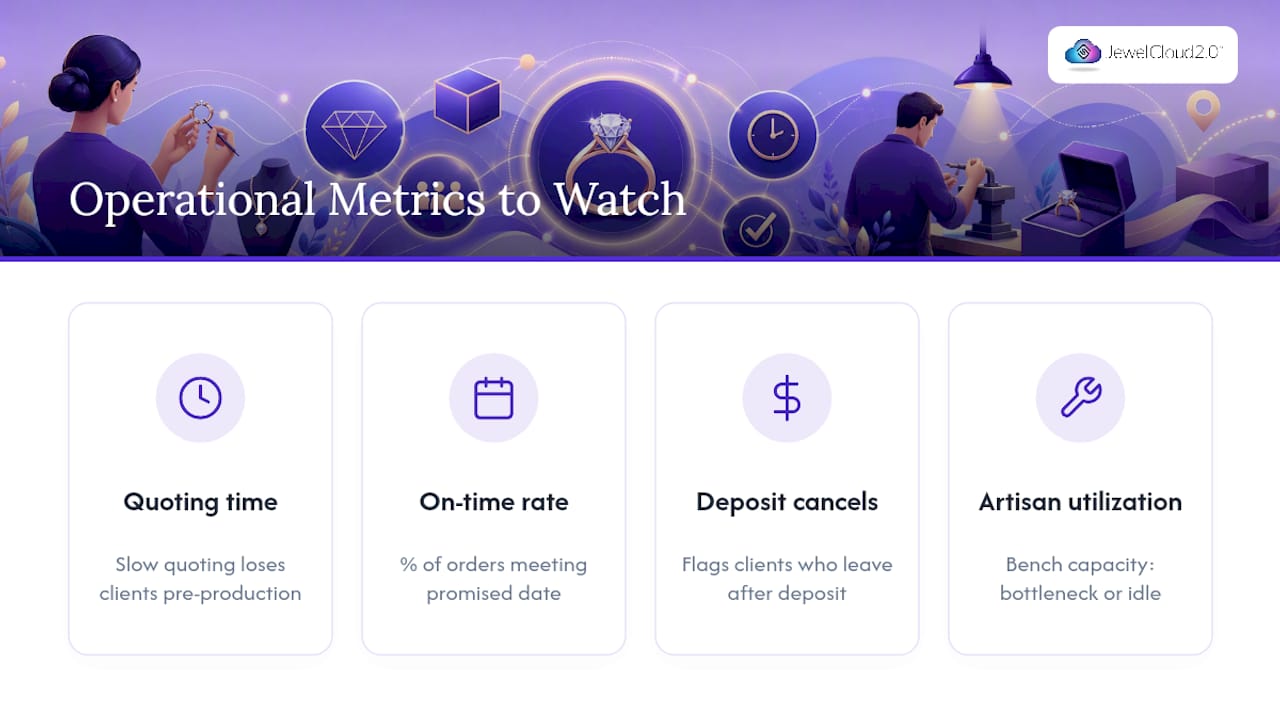
Track average time from inquiry to signed quote, since a slow quoting process loses clients before production even starts. Track on-time delivery rate, the percentage of orders that hit the originally promised date without a client-initiated extension, since this is the number that most directly reflects whether your lead time estimates are honest. Track deposit-to-cancellation ratio, which flags whether your quoting or expectation-setting process is scaring off clients after they’ve already committed money.
Also worth watching: rework rate (how often a piece needs correction after a client views the finished product) and average artisan utilization (whether your bench capacity is a bottleneck or sitting idle). A shop running close to full artisan capacity with a rising rework rate has a training or QC problem, not a staffing problem, and those two issues get fixed very differently.
None of these metrics matter in isolation. Watched together over a few months, they tell you whether your custom order management jewelry workflow is actually improving or just feels busier.
Editorial Take: Where Most Shops Get This Wrong
The conventional advice treats custom order management jewelry systems like a filing problem, get everything into one database and call it solved. That’s backwards. The database is the easy part. The hard part is the discipline to require a deposit before production, log every client-supplied stone at intake, and refuse to let a stage change happen without a documented approval. Software enforces discipline; it doesn’t create it.
Most shops also overinvest in fancy CAD visualization tools while underinvesting in the boring stuff, sizing verification, certificate linkage, deposit audit trails, that actually prevents disputes. A gorgeous rendering doesn’t matter if the finished ring is a half size off and nobody can explain why.
If you take one thing from this guide, prioritize the data model before the workflow automation. A system that tracks the right fields with manual updates still beats a fully automated system tracking the wrong ones. Get the fields right first. Automate second.
— Anthony
Getting Started With JewelCloud
Jewelcloud gives jewelry retailers and manufacturers something a spreadsheet and a patchwork of apps never can: standardized, vendor-synced product data that feeds directly into the BOM accuracy and inventory reservation practices this article just walked through. Instead of chasing down stone weights and metal purity from five different supplier formats, you’re working from one structured feed.

For retailers building out custom order capability, JewelCloud’s retailer tools connect that vendor data to the catalog and configurator experience your clients actually interact with during design approval. Manufacturers get a distribution channel that puts standardized product data in front of qualified retail partners without extra sales overhead. If you’re ready to see whether your current custom workflow has the data foundation this guide describes, start by exploring JewelCloud’s platform and reviewing the vendor membership options that match your shop’s size.
Practical Resources and Internal Pages to Consult Next
- FCC cybersecurity guidance for vendor vetting basics.
- JewelCloud’s design-to-production pipeline guide for mapping approvals to production stages.
- Staged production examples from GothMarket for bench-level checkpoint ideas.
Sources
- Custom creations management for jewelers | Gem Logic
- Custom Jewelry Order Management: Process, Tips, & Solutions
- Cybersecurity for small businesses | FCC
- How automation drives business growth and efficiency | HBR (sponsored)