


A successful jewelry product listing is defined by three elements working together: professional photography, precise descriptions, and technical optimization that meets wholesale buyer standards. Retail buyers make purchasing decisions based almost entirely on what they see and read in your listing. Poor images signal low quality before a buyer reads a single word. This jewelry designer product listing guide covers every layer of a high-converting listing, from shot types and lighting to SEO structure and catalog consistency, so your products get noticed and ordered by the retail partners you want.
What does a jewelry designer product listing guide cover?
A complete product listing for jewelry designers covers photography types, description structure, image optimization, and catalog workflow. Each element affects buyer confidence in a different way. Skip one, and the listing underperforms even if the other elements are strong.
The role of product photography in jewelry sales is larger than in almost any other category. Jewelry shoppers rely entirely on visual cues because the tactile experience is impossible online. A blurry or poorly lit image does not just look bad. It creates an assumption of low quality that no description can fix.
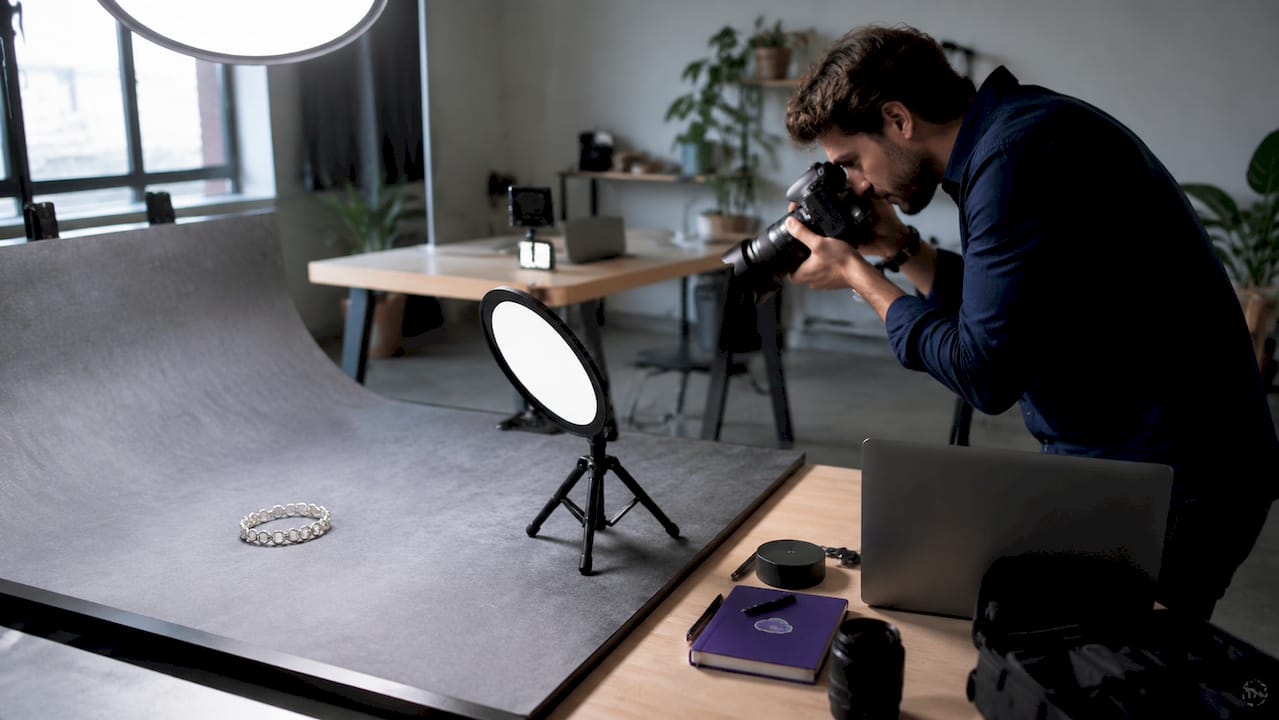
Professional jewelry photography increases sales by 40%–150% and reduces return rates by 40%–60%. That range is wide because execution quality varies, but even the lower end of that improvement justifies the investment. Amateur photography produces conversion rates of 1%–2%, while professional photography lifts them to 3%–5% or higher.
What photography types does every jewelry listing need?
The most effective jewelry listings use five distinct shot types, each serving a specific buyer need. Missing even one of these creates a gap in buyer confidence that competitors with complete listings will fill.
- Hero shot: A clean, front-facing image on a white or neutral background. This is your primary listing image and the first thing a buyer sees in search results or a catalog grid.
- Macro or detail shot: A tight close-up showing texture, stone setting, engraving, or surface finish. This shot proves craftsmanship and justifies price.
- Scale shot: The piece worn on a model or placed next to a common reference object. Omitting scale shots is a top driver of e-commerce returns because buyers cannot judge size from a hero shot alone.
- Clasp or back shot: Shows construction quality and functional details that wholesale buyers specifically look for when evaluating durability.
- On-model or lifestyle shot: Places the piece in a real-world context. Lifestyle shots pull buyers into the brand story and complement technical product images.
82% of successful jewelry e-commerce sellers use 3–5 photography styles, including hero, macro, lifestyle, and on-model. Mixing multiple photo styles significantly boosts consumer confidence. A buyer who sees only one angle has more reasons to hesitate.
Lighting is the single biggest variable in jewelry photography quality. Diffused natural light or a two-light softbox setup eliminates harsh reflections on metal and makes stones appear vivid. Avoid direct flash, which flattens texture and creates hot spots on polished surfaces.
Shopify recommends a minimum resolution of 2048x2048 pixels for product images to support the zoom feature. Images above 5000x5000 pixels are accepted but slow load times without adding visible detail. Shoot at the highest resolution your camera allows, then resize during editing.
Pro Tip: Build a shot list before every photoshoot. Specify the exact angles, backgrounds, styling props, and retouching scope for each piece. A detailed photography brief keeps studio time efficient and produces consistent images across your entire catalog.
How do you write jewelry product descriptions that convert?
The SCENE framework is the most effective structure for jewelry product descriptions: Sensory, Context, Emotional outcome, Notable specs, and Call to action. Each element addresses a different buyer question and moves them closer to a purchase decision.
Here is how each element works in practice:
- Sensory: Describe what the piece looks and feels like. “Polished 14K yellow gold with a brushed inner band” is specific. “Beautiful gold ring” is not.
- Context: Tell the buyer when or where the piece fits. “Designed for everyday wear” or “ideal for formal occasions” helps buyers self-select.
- Emotional outcome: Connect the piece to a feeling or occasion. “A gift she will reach for every morning” creates aspiration without being vague.
- Notable specs: List metal type, stone weight, dimensions, and finish. Wholesale buyers need these details to evaluate the piece for their customers.
- Call to action: For wholesale listings, this is a prompt to request pricing, add to a line sheet, or contact the brand.
Meta descriptions should run 70–120 characters with the primary keyword front-loaded. A vague opener like “Explore our new collection” wastes the first characters that search engines and buyers read first. Lead with the product type and material: “14K gold diamond hoop earrings, 0.25 ct total weight.”
Short paragraphs and bulleted spec lists make descriptions scannable. Wholesale buyers reviewing dozens of listings do not read every word. They scan for metal type, stone details, dimensions, and price point. Put those facts where they are easy to find.
What are the technical SEO standards for jewelry listings?
Image file size, format, and alt text directly affect both page speed and search visibility. Getting these details right is not optional for designers who want retail buyers to find their listings through Google Shopping or image search.
Target a file size of 200–400 KB per image. Files larger than this slow page load times, which costs you conversions. A 0.1-second improvement in page speed correlates with approximately 8% more retail conversions. Mobile buyers, who represent more than 70% of shoppers, feel slow load times most acutely.
Use JPEG for standard product shots, PNG for images requiring a transparent background, and WebP for modern platforms that support it. WebP files are typically 25%–35% smaller than JPEG at equivalent quality, which directly improves load speed without visible quality loss.
Descriptive alt text that includes product attributes and keywords improves both SEO and accessibility. A strong example: “14K gold hoop earrings with diamond accent, front view.” A weak example: “earrings1.jpg.” The difference in search visibility between these two approaches is significant.
Pro Tip: Use structured data markup for your product images. Structured data increases your chances of appearing in Google Shopping rich results and image search, which puts your listings in front of buyers who are actively searching for what you make.
Avoid common e-commerce platform errors like uploading images without alt text or skipping schema markup entirely. These are fast fixes that compound over time as your catalog grows.
How to list jewelry products: a step-by-step workflow
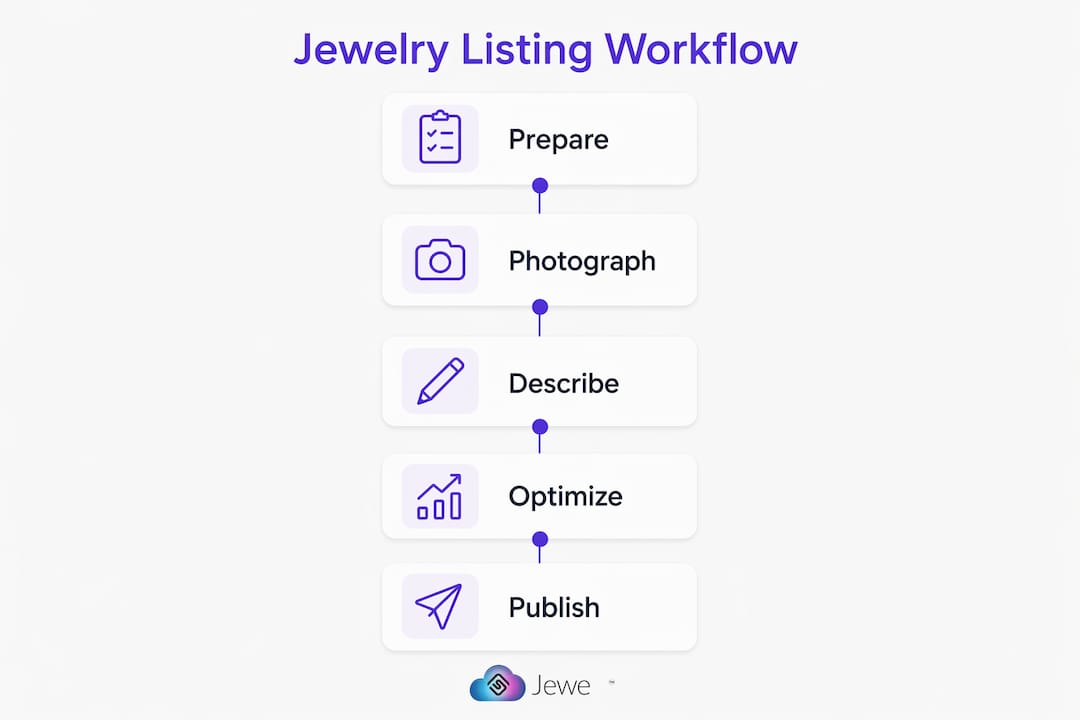
A repeatable workflow produces consistent listings faster and reduces the chance of missing critical elements. Follow this sequence for every new product you add to your catalog.
- Prepare your shot list and styling references. Identify which of the five shot types each piece requires. Gather props, model references, and background materials before the shoot begins.
- Shoot all required angles in one session. Batching shots for multiple pieces in a single setup saves time and keeps lighting consistent across your catalog.
- Edit and compress images to spec. Resize to 2048x2048 pixels, compress to 200–400 KB, and save in the correct format for your platform.
- Write your SCENE-based description. Draft the full description, then trim to the tightest version that still covers all five elements.
- Upload with SEO details in place. Add descriptive alt text, fill in the meta description with the primary keyword front-loaded, and apply structured data markup before publishing.
- Audit the live listing. Check how the listing appears on mobile. Verify that zoom works, images load quickly, and the description is fully visible without excessive scrolling.
The table below shows how different listing approaches affect buyer trust and conversion potential.
| Listing approach | Buyer trust impact | Conversion potential |
|---|---|---|
| Single hero shot, no description | Low | Minimal |
| Hero plus macro, basic specs | Moderate | Below average |
| 3–5 shot types, SCENE description | High | Strong |
| Full shot set, SEO-optimized, schema markup | Very high | Best |
Catalog consistency in lighting, background (RGB 255-255-255 white), and crop ratio builds wholesale buyer trust across large product sets. Inconsistent catalogs get rejected by major retailers. Every image in your line sheet should look like it belongs to the same family. A consistent jewelry catalog signals professionalism and makes it easier for retail buyers to present your pieces to their own customers.
Key Takeaways
A high-converting jewelry product listing requires professional photography, a structured description framework, and technical optimization working together to build retail buyer confidence.
| Point | Details |
|---|---|
| Use five shot types | Hero, macro, scale, clasp, and on-model shots each answer a different buyer question. |
| Apply the SCENE framework | Structure descriptions with Sensory, Context, Emotional, Notable specs, and Call to action elements. |
| Hit image resolution standards | Shoot at 2048x2048 pixels minimum and compress files to 200–400 KB for fast mobile load times. |
| Write descriptive alt text | Include product type, material, and view angle in every image alt tag to improve SEO and accessibility. |
| Maintain catalog consistency | Use a uniform background, lighting setup, and crop ratio so wholesale buyers trust your full line sheet. |
Why I think most designers underinvest in the wrong place
Most jewelry designers I have worked with spend their energy on the description and almost none on the photography brief. That is the wrong order of operations. A buyer who lands on a listing with one flat, overexposed hero shot will not read your carefully crafted description. They will click away in under three seconds.
The shift I have seen make the biggest difference is not hiring a more expensive photographer. It is showing up to the shoot with a detailed brief. When a designer specifies the exact angles, background color, prop list, and retouching scope before the session starts, the output is consistent and usable across every channel, from a Jewelcloud vendor feed to a trade show line sheet.
Wholesale buyers have also raised their expectations for detail imagery. A few years ago, a clean hero shot was enough to get a meeting. Now buyers expect to see the clasp, the stone setting from the side, and the piece on a model before they will request a price list. That expectation is not going away. Designers who build a responsive, well-structured catalog from the start will spend far less time re-shooting and re-uploading as their line grows.
The other thing I would push back on is the idea that listing audits are a one-time task. Your catalog is a living thing. Images that looked sharp two years ago may not meet current platform standards. Descriptions written before you understood SEO may be burying your best pieces. Schedule a quarterly review and treat it like a product launch, not a chore.
— Anthony
How Jewelcloud helps designers get their listings in front of retail buyers
Building a great listing is only half the work. Getting it in front of qualified retail buyers is the other half, and that is where Jewelcloud’s platform makes a real difference for designers and brands.

Jewelcloud gives jewelry designers and manufacturers a structured digital distribution channel that connects their product data directly to retail jewelers. Your listings are formatted to meet wholesale standards, making it easier for retail partners to source, display, and sell your pieces without the friction of manual data entry or inconsistent image files. The platform’s vendor membership includes tools for managing your product feed, plus access to web design support that presents your catalog in a format retail buyers trust. If you are ready to put your listings to work at scale, learn more about Jewelcloud’s vendor benefits and how the platform supports your wholesale growth.
FAQ
What image resolution does a jewelry product listing need?
Shopify and most major e-commerce platforms recommend a minimum of 2048x2048 pixels for jewelry product images to support the zoom feature. Higher resolutions are accepted but increase file size without adding visible detail.
How many photos should a jewelry product listing include?
A listing should include at least 3–5 images covering the hero shot, macro detail, scale reference, clasp or back view, and an on-model or lifestyle shot. Research shows 82% of successful jewelry e-commerce sellers use this range of photography styles.
What is the SCENE framework for jewelry descriptions?
SCENE stands for Sensory, Context, Emotional outcome, Notable specs, and Call to action. It structures product descriptions to address every buyer question, from how the piece looks to what materials it contains.
How does page speed affect jewelry listing conversions?
A 0.1-second improvement in page speed correlates with approximately 8% more conversions. Compressing images to 200–400 KB and using modern file formats like WebP keeps load times fast for mobile shoppers.
Why do wholesale buyers reject inconsistent jewelry catalogs?
Wholesale buyers need product images that work across their own retail channels. Inconsistent backgrounds, lighting, and crop ratios make it difficult to present a designer’s line cohesively, which leads to catalog rejection before pricing is even discussed.