


For wholesale jewelry suppliers and retailers, the right ring design software strategy is a two-track approach: parametric CAD tools for manufacturing-ready files, paired with a web-based configurator or AI-assisted tool for retail visualization. Manufacturers and CAD technicians work in professional platforms like Rhino (Robert McNeel & Associates) with jewelry plugins, or 3DESIGN, where engineering constraints and STL/STEP exports are built into the workflow. Retailers and sales teams get more mileage from browser-based configurators like Simple Jewelry Studio, where clients preview designs in real time without installing anything.
Before any file leaves your studio, two checks are non-negotiable:
- Export compatibility: the file must export as STL (for 3D printing/casting) or STEP (for CAD data exchange), with correct units and scale.
- Watertight mesh: the model must be a closed, manifold mesh with no gaps or inverted normals, or your casting house will reject it.
Table of Contents
- What ring design software categories should you know?
- Evaluation dimensions that matter to wholesale suppliers and retailers
- Are your designs actually ready for casting and 3D printing?
- How do you move from a design file to your retail catalog?
- Which tool is right for your situation?
- How should you evaluate and choose a vendor?
- Key Takeaways
- Why integrated design and product-data pipelines matter more than the software itself
- Jewelcloud connects your 3D-ready designs to retail partners
- Useful sources for your next steps
What ring design software categories should you know?
Ring design software splits into three distinct categories, each built for a different user and a different stage of the product lifecycle.
Professional CAD modeling tools are the manufacturing backbone. Platforms like Rhino, extended with jewelry-specific plugins such as MatrixGold (by Gemvision), and dedicated jewelry CAD packages like 3DESIGN give designers parametric engines, castability checks, and precise geometry control. These tools export STEP and STL files that casting houses and 3D print partners accept without question. The learning curve is real, but the payoff is full engineering control over every prong, seat, and wall thickness.
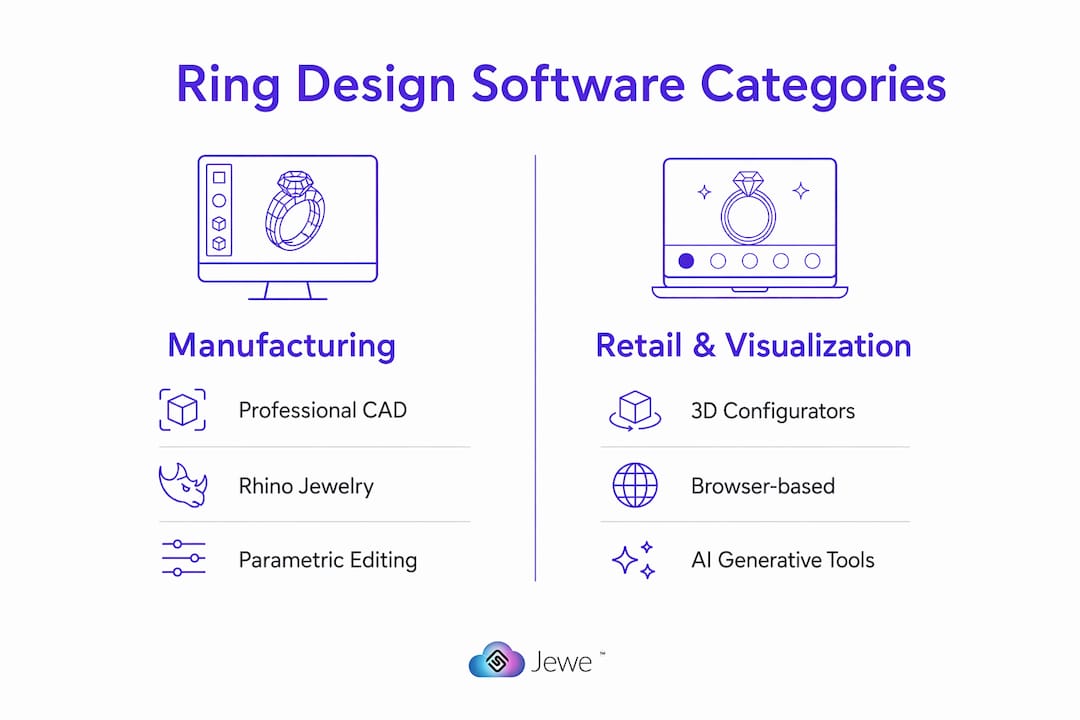
Web-based 3D configurators are built for the retail floor and e-commerce. Simple Jewelry Studio, for example, runs entirely in a browser and offers parametric templates, client preview links, and PBR renders without a local install. A sales associate can walk a customer through metal choices, stone sizes, and band widths in minutes, then share a preview link for approval with a showroom watch display cleaning checklist for retailers to keep displays pristine. Some browser studios also surface printability and casting constraints before export, which reduces rework downstream.

AI-assisted generative tools like Hyper3D occupy a third lane: rapid concept visualization. Hyper3D can generate photorealistic renders in under a minute and produce 3D geometry in seconds, making it useful for client approval rounds and ideation. Treat these outputs as starting points, not finished manufacturing files.
Evaluation dimensions that matter to wholesale suppliers and retailers
When comparing any custom ring design tool, judge it across these eight dimensions:
| Dimension | What to look for |
|---|---|
| Target user / primary use case | Manufacturing vs. retail visualization — confirm the tool is built for your role |
| Design fidelity and engineering features | Parametric engine, castability checks, prong/seat geometry controls |
| Ease of use / learning curve | Hours to first usable file for your team’s skill level |
| Output formats | STL, STEP, OBJ, GLB/USDZ for web and AR experiences |
| Configurator capability | Real-time parameter sliders, client preview links, PBR renders |
| Integration with product-data / e-commerce feeds | API or CSV export, SKU mapping, 3D asset hosting |
| Pricing and licensing | Seat license, SaaS subscription, or credit-based model |
| Support and training | Documentation quality, onboarding, SLA response times |
Parametric editing is the single most time-saving feature for anyone handling volume or custom orders. Change one value, such as stone size or ring size, and the entire model updates automatically. Without it, every variation means rebuilding from scratch.
Pro Tip: If your catalog includes many size or stone variations, prioritize parametric or assembly-based tools. For fast retail deployment with minimal training, choose a browser-based configurator that surfaces production constraints before export.
Are your designs actually ready for casting and 3D printing?
A visually correct model is not the same as a castable one. Professional CAD tools enforce engineering constraints automatically; AI-generated and consumer-facing outputs often do not.
Run every file through this acceptance checklist before sending it to your casting house or print partner:
- Voxel remesh / clean topology: rebuild mesh density to eliminate overlapping faces and non-manifold edges.
- Watertightness check: confirm the mesh is fully closed with no holes or open edges.
- Wall thickness validation: minimum wall thickness for casting is typically 0.8mm for gold alloys; confirm with your specific caster.
- Correct scale and units: verify the file is in millimeters and matches the intended ring size.
- Seat and prong geometry: prong tips, seat depths, and girdle clearances must match actual gemstone dimensions, not approximations.
- Manifold mesh: every edge must be shared by exactly two faces.
- File format: export STL for 3D printing and casting; use STEP for CAD data exchange with manufacturing partners.
AI-generated 3D outputs are fast and useful for client approvals, but they are not guaranteed watertight or dimensionally accurate for casting. Always run voxel remeshing and thickness checks in a professional editor, and rebuild critical features like prong geometry in a parametric CAD package before sending files to production.
How do you move from a design file to your retail catalog?
A reliable integration pipeline maps manufacturing outputs to product-data fields and automates feed generation for retail partners. Here is the practical flow:
Design → Engineering validation → File export (STL/STEP/GLB) → Metadata enrichment → Product-feed packaging → Distribution
At the metadata enrichment stage, attach SKU, metal type, total weight, stone specs, dimensions, and lead time to each file. This is where most wholesale suppliers lose time: the 3D file exists, but the structured data fields are incomplete, so retail partners cannot load the product into their systems.
Standardized product feeds that include 3D viewer links and GLB/USDZ assets give retail partners everything they need to publish a product page without back-and-forth. When feeds are structured and validated before distribution, collection launch timelines shrink considerably. Retailers who receive complete data packets, including images, spec PDFs, and 3D assets, convert new products faster than those waiting on manual data entry.
Your integration checklist should confirm: API or CSV feed availability, 3D asset hosting, real-time price sync, and inventory plus lead-time fields. Platforms built for jewelry manufacturers can automate much of this once your file and metadata standards are locked in.
Which tool is right for your situation?
These examples map directly to the three categories and the decisions most wholesale suppliers and retailers face.
- Rhino + MatrixGold (Gemvision): The go-to for high-volume custom manufacturing. Rhino acts as the host for jewelry-specific plugins that add stone-setting tools, shank builders, and casting-prep features. Ideal for CAD technicians producing dozens of custom orders per week. Expect a multi-week learning curve and a seat-license cost, but the output quality and engineering control are unmatched for production environments.
- 3DESIGN: A dedicated jewelry CAD platform with a strong parametric engine and an active training ecosystem. Well-suited for design studios that need to iterate quickly across stone sizes and metal types without rebuilding models. Outputs production-ready STL and STEP files.
- Simple Jewelry Studio: A browser-based configurator with parametric assemblies and STL/STEP export built in. The right choice for retailers who want to offer custom ring design online without hiring a CAD technician. Client preview links speed up approvals, and built-in geometry validation catches printability issues before the file leaves the browser.
- Hyper3D: Best used for rapid ideation and client-facing concept renders. It can produce 3D geometry in seconds, which is useful for showing a client three design directions in a single meeting. Always validate the output in a professional CAD tool before sending it to production.
How should you evaluate and choose a vendor?
Start with technical export compatibility and parametric editing, then assess configurator APIs and feed integration. Ask every vendor these questions before signing:
- What export formats do you support (STEP, STL, GLB, USDZ, OBJ)?
- Does your parametric engine update the full model when a single dimension changes?
- Can you provide sample manufacturing-ready STL files for review?
- What integration options exist for product feeds (API, CSV, webhook)?
- How are 3D assets hosted, and do you support GLB/USDZ for web and AR?
- What is the pricing model: seat license, SaaS, or credit-based?
- What training resources and SLA response times do you offer?
Red flags: no STEP export, no parametric engine, no sample castable STL files on request, and no metadata export options. For small retailers, a SaaS browser configurator in the $50–$200/month range is a reasonable starting point. Manufacturing houses running high-volume custom orders typically invest in professional seat-licensed CAD, where annual costs run higher but the per-unit efficiency gains justify it. For scaling your design workflow, locking in your file and metadata standards early is the single highest-leverage decision you can make.
Key Takeaways
The most effective ring design software strategy pairs parametric CAD for manufacturing-ready files with a browser-based configurator for retail, connected by a standardized product-data pipeline that feeds directly into distribution.
| Point | Details |
|---|---|
| Use a two-track approach | Parametric CAD handles manufacturing; browser configurators handle retail visualization and client approvals. |
| Parametric editing saves time at scale | Changing one dimension (stone size, ring size) updates the full model automatically, cutting revision time. |
| Validate before casting | Every file needs watertightness, wall thickness, and scale checks before going to a casting house or print partner. |
| Standardize metadata early | Attach SKU, metal, stone specs, and 3D assets to each file so retail partners can publish products without delays. |
| Jewelcloud connects the pipeline | Jewelcloud distributes structured, 3D-ready product data from suppliers directly to retail partners at wholesale. |
Why integrated design and product-data pipelines matter more than the software itself
Most conversations about jewelry CAD focus on which tool has the best renderer or the smoothest UI. That is the wrong question for wholesale suppliers and retailers. The tool matters far less than what happens to the file after it leaves the design environment.
The suppliers who shorten their time-to-shelf are not necessarily using the most sophisticated CAD platform. They are the ones who have standardized their file outputs, attached complete metadata to every SKU, and connected those assets to a distribution channel that retail partners can actually consume. A beautiful STL file sitting in a shared folder with no SKU, no stone specs, and no pricing data is commercially useless.
Jewelcloud’s approach to structured product data reflects this directly. When product data is standardized and optimized for jewelry’s specific complexities, retailers can load new collections faster, offer richer shopping experiences, and reduce the back-and-forth that slows every launch. The design software is the starting point. The pipeline is the product.
Jewelcloud connects your 3D-ready designs to retail partners
Once your manufacturing files are validated and your metadata is structured, the next challenge is distribution. Jewelcloud gives wholesale suppliers a direct channel to qualified retail jewelers, with product data that is standardized for jewelry’s specific complexities: metal type, stone specs, dimensions, pricing, and 3D/AR assets all travel together in a single feed.
Retailers on Jewelcloud can source, sell, or digitally showcase your products without carrying physical inventory, which means your validated designs reach more storefronts faster. Suppliers gain visibility with retail partners who are actively looking for new collections, and the structured feed format means no manual data re-entry on either side.

If your designs are production-ready and your product data is structured, Jewelcloud is the distribution layer that puts them in front of the right retail buyers. See how Jewelcloud works for vendors and take the next step toward wider retail distribution.
Useful sources for your next steps
These documentation pages and vendor resources help you verify technical claims and run pilots before committing to a platform.
| Resource | What it helps you verify |
|---|---|
| Rhino for the Jeweler | Plugin ecosystem, engineering workflow, and export capabilities for Rhino-based setups |
| 3DESIGN | Parametric engine features, manufacturing outputs, and training resources |
| Simple Jewelry Studio | Browser configurator capabilities, geometry validation, and STL/STEP export options |
| Hyper3D Jewelry Design | AI-assisted render speeds, 3D geometry generation, and post-processing requirements |
| Jewelcloud Product Feed | Feed structure, 3D asset hosting, and retail distribution integration |