


For Shopify jewelry stores that need accurate supplier data, fast onboarding, and a premium customer experience, Jewelcloud RingBuilder® is the recommended choice. It pairs live supplier feeds with a brand-matched UI, so your shoppers get a guided, confidence-building design experience while you stay in control of pricing and inventory.
Three reasons it stands out:
- Supplier feeds and virtual inventory: Connect to wholesale diamond networks and present catalogs of hundreds of thousands of loose stones without holding physical stock.
- Admin and pricing controls: Set markup rules by supplier or product type, generate SKUs automatically, and route custom orders without manual workarounds.
- Fast setup and dedicated support: Turnkey configurations can go live in as little as 48 hours, with onboarding assistance included.
Jewelcloud RingBuilder® is fully compatible with Shopify and supports standardized supplier feed formats used across the industry. To get started, visit the RingBuilder® product page.
Table of Contents
- What does a Shopify ring builder app actually do?
- How much does a ring customization tool typically cost?
- How do supplier integrations and virtual inventory work?
- What does a typical onboarding and launch timeline look like?
- How do admin controls work for managing custom ring orders?
- How does design and customer experience affect conversion?
- What support, reviews, and data controls should you expect?
- Which merchants benefit most from a ring builder?
- Why a data-first approach gives Jewelcloud an edge
- Key Takeaways
- What the ring builder market gets wrong
- Jewelcloud RingBuilder® is ready to connect to your Shopify store
- Useful sources and further reading
What does a Shopify ring builder app actually do?
A ring configurator, often called a ring builder, is a guided multi-step tool that lets shoppers design a ring from scratch inside your Shopify store. The customer selects a setting, chooses a metal type, then picks a stone, with pricing updating at each step. The app generates a unique SKU or variant, applies your markup rules, and either routes the order directly to your cart or triggers a quote request.
Core capabilities to expect:
- Guided step flow: setting → metal → stone (or stone-first, depending on your catalog)
- Conditional logic that hides incompatible options automatically
- Price and markup rules applied per supplier, product type, or stone grade
- SKU and variant generation for each configured combination
- Order routing for custom builds, separate from standard Shopify checkout
On the customer side, the experience should include zoomable product photos or 3D previews, stone search with faceted filters (carat, cut, clarity, color), and certificate visibility for GIA- or IGI-graded stones. Quote-request mode often converts better than a direct add-to-cart flow for high-ticket custom rings, because it lets you confirm stone availability and personalize pricing before collecting payment.
Back-office features matter just as much. The app should ingest product data from supplier feeds automatically, export SKUs to Shopify, and keep inventory visibility in sync so you never sell a stone that’s already gone.
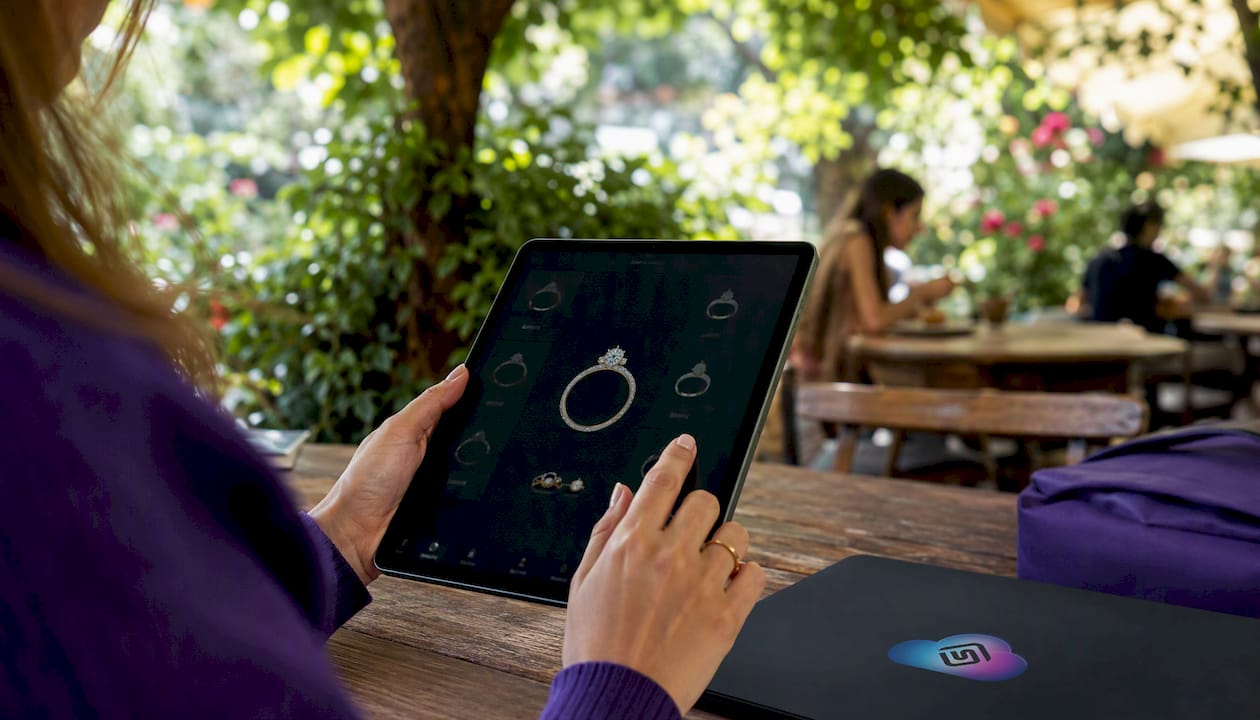
Pro Tip: Request a demo that walks through the full buyer journey on a mobile device, not just a desktop. Many builders look polished on a large screen but break down on a 5-inch phone.
How much does a ring customization tool typically cost?
Pricing structures vary more than most merchants expect. You’ll generally encounter three cost layers: a one-time setup fee, a recurring monthly or annual subscription, and optional add-on fees for advanced features or larger catalogs.
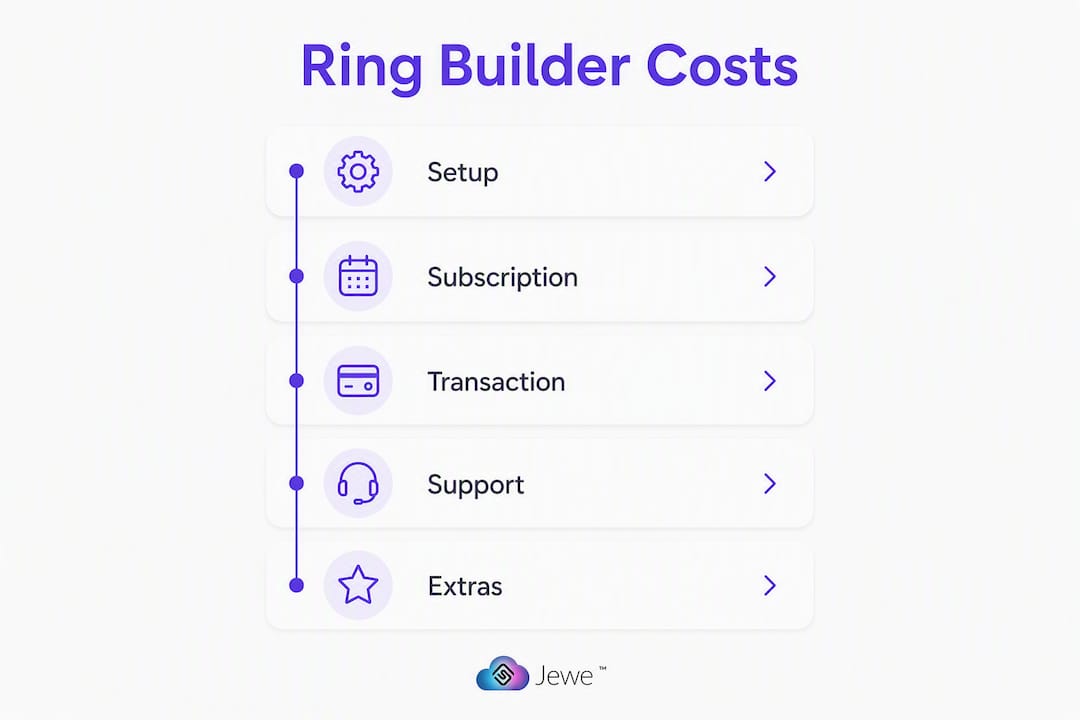
| Cost Component | Typical Range | What It Covers |
|---|---|---|
| Setup fee | — | Initial configuration, feed mapping, theme matching |
| Monthly subscription | — | Builder access, feed syncing, support tier |
| Enterprise / API fees | Custom pricing | Large catalogs, custom integrations, dedicated SLA |
| Feature add-ons | Varies | 3D rendering, AR try-on, AI recommendations |
Tiered plans sometimes cap the number of product variants your catalog can hold, ranging from entry-level plans with no variants to advanced tiers that support very large catalogs. If your virtual inventory includes a large live stone feed, confirm that your plan’s variant limit won’t cut off your catalog mid-launch.
Pricing models vary across the market, with some vendors offering monthly SaaS tiers, others charging one-time setup fees, and some combining both. Annual plans often include a discount worth asking about.
Questions to ask every vendor before signing:
- Does the monthly fee include supplier feed access, or is that billed separately?
- What happens to my catalog if I downgrade or cancel?
- Are image hosting and CDN costs included?
- How are markup rule changes handled during gold or diamond price fluctuations?
- Is developer access for custom CSS included, or does it require a higher tier?
Use Jewelcloud’s ROI calculator guide to estimate payback before committing to a plan.
How do supplier integrations and virtual inventory work?
A ring builder without a live supplier feed is just a product configurator. The real power comes from connecting your store to wholesale diamond networks so shoppers can search a deep, live catalog of stones without you stocking a single one.
Here’s how the integration pipeline typically works:
- Feed ingestion: — The app pulls data from your supplier via API or CSV. Standard fields include carat, cut, clarity, color, certificate number (GIA, IGI, or similar), price, and availability status.
Top-tier ring builders support live supplier feeds that enable catalogs of hundreds of thousands of loose stones for live selection. Industry feed sources include networks like RapNet, VDB, and Nivoda, all of which use broadly standardized data formats. Understanding how vendor data sync drives inventory management is worth reading before you commit to any integration.
Pro Tip: Prioritize apps that ingest standardized product data feeds automatically rather than requiring manual entry. Manual entry introduces pricing errors and spec mismatches that drive returns.
What does a typical onboarding and launch timeline look like?
Expect the process to move through five phases, each with its own dependencies.
- Discovery and data mapping (Days 1–3): Audit your existing product data, identify supplier feed formats, and define your markup rules and SKU schema.
- Feed setup and testing (Days 3–7): Connect supplier feeds, run test imports, and verify that pricing, availability, and certificate data are mapping correctly.
- UI and theme matching (Days 5–10): Align the builder’s visual tokens (fonts, colors, button styles) to your Shopify theme. This step takes longer if your theme is heavily customized.
- QA and soft launch (Days 10–14): Test the full buyer journey on desktop and mobile, confirm order routing, and validate markup calculations.
- Public launch: Go live once QA passes and your team is trained on the admin panel.
Turnkey setups with guided builders can go live within 48 hours for standard configurations. Custom integrations with bespoke UI work typically run 2–6 weeks. The gap between those two timelines usually comes down to data readiness, not the app itself.
Assets to prepare before onboarding starts:
- High-resolution product images for all settings (consistent lighting, white or neutral background)
- Certificate scans or certificate API credentials for GIA/IGI stones
- Metal pricing rules and any tiered markup logic
- Ring size charts and any locale-specific sizing standards
- A list of priority SKUs for a seed import so you can launch with your best sellers first
Pro Tip: Defer advanced features like AR try-on and AI recommendations to a second phase. Getting your core builder live with clean data is worth more than a feature-rich launch that’s delayed by scope creep.
How do admin controls work for managing custom ring orders?
Your admin panel is where the business logic lives. A well-built ring builder gives you granular control over pricing, inventory behavior, and order handling without requiring a developer for every change.
Essential admin features to verify in any demo:
- Markup rules by supplier, product category, or stone grade
- Conditional variant logic (hide options that don’t apply to a selected setting)
- Automatic SKU generation for each configured combination
- Out-of-stock behavior (hide vs. show as unavailable)
- Custom order routing separate from standard Shopify fulfillment
On the reporting side, some apps include analytics dashboards that track revenue, cart analytics, profit by markup rule, and sales performance for configured products. That data is genuinely useful for identifying which settings drive the most completions and where shoppers drop off.
| Admin Feature | Why It Matters |
|---|---|
| Markup rules by supplier | Protects margins when wholesale costs shift |
| Conditional variant logic | Prevents invalid configurations reaching checkout |
| SKU auto-generation | Keeps Shopify order data clean for fulfillment |
| Feed status monitoring | Alerts you before availability mismatches reach customers |
| Order routing for custom builds | Separates custom orders from standard fulfillment queues |

Good catalog management practices matter here too. Staging product data before a feed sync goes live prevents pricing errors from reaching your storefront during gold or diamond price swings.
How does design and customer experience affect conversion?
The builder’s UI is your brand’s handshake with the shopper. Inconsistent imagery or a clunky mobile flow can undermine trust even when your catalog is deep and your prices are competitive.
UX elements that directly affect conversion:
- Mobile-first preview: the builder must work cleanly on a 4–6 inch screen with one-thumb navigation
- High-resolution, consistently lit product images or photorealistic 3D renders
- Certificate visibility toggle so shoppers can verify GIA or IGI grading without leaving the builder
- Clear return and customization policy displayed at the quote or cart step
- Fast load times for stone search results, especially on large virtual catalogs
Consistent 3D rendering or high-quality imagery must accompany virtual inventory to maintain brand trust. A disconnected UI or mismatched images erode confidence even when the catalog is large. For premium branding, HDR product photography or photorealistic renders with consistent lighting are worth the investment.
Large ring builders support conditional logic, swatches, and custom CSS to match your site’s theme and locale settings. That flexibility matters if your store has a distinctive visual identity you’ve built over time.
Pro Tip: Test your builder on a real device at a slow connection speed, not just on a fast office Wi-Fi. Stone search on a large virtual catalog can time out on mobile networks if the app isn’t optimized for it. See digital showcase examples for reference on what premium presentation looks like.
What support, reviews, and data controls should you expect?
Vendor reliability is harder to evaluate than feature lists, but a few signals cut through the noise quickly.
Trust signals worth checking:
- Merchant testimonials that mention specific outcomes (launch time, return rate, catalog size)
- A demo gallery or screenshots showing real merchant storefronts, not just vendor mockups
- Setup-included offers with a stated time-to-launch commitment
- A clear escalation path beyond a standard support ticket
Data access and security questions to ask:
- How are GIA/IGI certificate numbers and customer order data stored and encrypted?
- Does the app offer scoped API keys so you can limit third-party access?
- Is there an audit log for admin changes to markup rules or feed configurations?
- What is the process for handling a feed outage during peak traffic?
For order flow, confirm how the app handles refunds on custom builds, since standard Shopify return flows often don’t account for supplier-sourced stones that can’t be restocked. Quote-request mode adds a human validation step that helps here, and it can improve conversion for high-ticket purchases by building trust before full payment is collected.
Which merchants benefit most from a ring builder?
A ring builder delivers the most value when your business model depends on offering configuration depth that a standard product page can’t support.
Strong fit:
- Retailers with access to live supplier feeds who want to present a deep virtual catalog without stocking stones
- Stores selling engagement rings or fine jewelry where shoppers expect to configure metal, setting, and stone independently
- Merchants who need markup rules and SKU generation to manage profitability across a large, dynamic catalog
- Direct-to-consumer brands that want a premium, brand-matched buying experience
Consider a simpler alternative when:
- Your catalog is small and static (fewer than a few hundred SKUs with no live feed)
- Your price points are low enough that a standard Shopify product page with variants covers the configuration need
- You don’t have supplier feed access and aren’t planning to add it
On scalability: test your chosen app with a catalog size that’s at least 2x your current inventory. Plan limits can range from entry-level tiers with no variant support up to 200,000+ variants on advanced plans, so matching your growth trajectory to the right tier matters before you launch.
Why a data-first approach gives Jewelcloud an edge
The difference between a ring builder that works and one that creates operational headaches usually comes down to data quality. Structured, standardized product data is what keeps pricing accurate, availability current, and the customer experience consistent.
Jewelcloud’s platform is built around structured, standardized jewelry product data, connecting suppliers, designers, and manufacturers to retail jewelers through feeds that are optimized for the specific complexity of jewelry attributes, including carat, cut, clarity, certificate, and metal type. RingBuilder® is the product that brings that data infrastructure directly into your Shopify storefront.
Jewelcloud’s capabilities as a Shopify jewelry app include:
- Structured product data feeds that map directly to ring builder fields without manual cleanup
- Standardized feed formats compatible with major wholesale supplier networks
- Marketplace distribution that gives suppliers visibility and gives retailers access to a broader catalog
- RingBuilder® as the front-end product that ties supplier feeds to a brand-matched Shopify experience
The practical benefit for retailers is a faster catalog launch, fewer returns from spec mismatches, and better merchandising control because your data is clean from the start. Supplier benefits on the Jewelcloud network reinforce data quality from the supply side, which flows directly into the accuracy your shoppers see.
Key Takeaways
The most effective Shopify ring builder combines standardized supplier data feeds with a brand-matched UI and granular admin controls, and Jewelcloud RingBuilder® delivers all three.
| Point | Details |
|---|---|
| Prioritize supplier feed quality | Automatic feed ingestion prevents pricing errors and reduces returns from spec mismatches. |
| Match plan limits to catalog size | Tiered plans cap variants from entry-level up to 200,000+; confirm your tier covers your growth target. |
| Budget for setup and data prep | Turnkey setups can launch quickly, but custom integrations typically run several weeks depending on data readiness. |
| Test UX on mobile before launch | Many builders fail on small screens; validate the full buyer journey on a 4–6 inch device at a slow connection. |
| Jewelcloud RingBuilder® | Combines structured data feeds, Shopify compatibility, and brand-matched UI with dedicated onboarding support. |
What the ring builder market gets wrong
Most of the conversation around ring builders focuses on features: 3D renders, AR try-on, conditional logic. Those matter, but they’re downstream of a problem that gets far less attention: data.
The merchants who struggle most after launch aren’t the ones who picked the wrong UI. They’re the ones who underestimated how much work their product data needed before the builder could use it. Supplier feeds arrive in inconsistent formats. Certificate numbers don’t always map cleanly to your SKU schema. Metal pricing rules that seemed simple on a spreadsheet become complicated when gold moves 5% in a week.
A ring builder is really a live connection between your supplier’s wholesale catalog and your store’s setting inventory. That connection requires ongoing maintenance, not just a one-time setup. Markup calculations need to stay accurate as market prices shift. Feed syncs need monitoring so availability mismatches don’t reach your shoppers.
The other mistake I see regularly: merchants assume “no-code” means zero effort. It means no custom development, which is different. You still need to map fields, define markup logic, and align the builder’s visual tokens to your theme. That work is manageable, but it’s real work, and skipping it produces a builder that looks generic and prices incorrectly.
The merchants who launch well treat the builder as a data project first and a design project second. Clean data, accurate feeds, and tested markup rules are what make the customer experience feel premium, not just the 3D renders.
Jewelcloud RingBuilder® is ready to connect to your Shopify store
Your shoppers are ready to design their own rings. Jewelcloud gives you the data infrastructure to make that experience accurate, on-brand, and profitable from day one. Unlike a generic product customizer, RingBuilder® is built specifically for jewelry retailers, with structured supplier feeds, Shopify-native integration, and onboarding support that gets you live without months of custom development.

The setup process starts with your supplier feed and your existing product data. Jewelcloud maps both to a Shopify-compatible structure, matches the builder’s UI to your store theme, and walks you through QA before you go public. You get a builder that reflects your brand, not a vendor template. To see it in action or discuss your catalog needs, schedule a demo or contact Jewelcloud today.
Useful sources and further reading
- Jewelcloud RingBuilder® product page
- Shopify jewelry app and B2B data integration overview
- Jewelry inventory management and vendor data sync
- Jewelry ecommerce catalog management guide for retailers
- GIA (Gemological Institute of America) — the standard for diamond grading certificates referenced in ring builder stone data
- IGI (International Gemological Institute) — widely used grading body for lab-grown and natural diamonds in virtual catalogs