


Centralize your master data, build a parent-child variant model, and back it with component-based inventory that includes a Kill Switch for real-time delisting. That combination is what keeps a growing jewelry catalog from collapsing into duplicate listings and phantom stock. Your first three moves: standardize every SKU under one naming rule, assign real photos to each variant instead of generic swatches, and tag every unique gemstone or component so it can never sell twice. Platforms like JewelCloud already structure vendor data this way, which is why retailers plugging into a feed like that skip months of manual cleanup.
TL;DR:
- Standardizing SKUs with a fixed attribute order and a consistent pattern prevents fulfillment errors and facilitates scalability beyond a few hundred items.
- Assigning high-quality, variant-specific images, macros, and videos improves customer experience and reduces drop-off rates during selection.
- Implementing real-time webhooks and Kill Switches for unique and made-to-order pieces ensures accurate inventory management and prevents overselling of one-of-a-kind items.
- Tracking component weights, purity, and certificates allows precise inventory valuation and easier revaluation when metal prices fluctuate.
- Using structured vendor feeds and tools like JewelCloud’s platform automates data updates and variant logic, reducing manual work and errors as catalog complexity grows.
Table of Contents
- What Is Variant Management in Jewelry, and Why Does It Break Down?
- How Should You Structure SKUs for Jewelry Variants?
- How Do You Assign the Right Images to Each Variant?
- How Do You Track Inventory for Metals and Gemstones?
- What Is a Kill Switch, and Why Does It Matter for Unique Pieces?
- How Do You Automate Pricing When Metal Prices Change?
- How Do You Keep the Warehouse and the Website in Sync?
- What Does a 90-Day Variant Management Rollout Look Like?
- Why Variant Discipline Separates Scale From Chaos
- Where JewelCloud Fits Into Your Variant Management Setup
- Sources
- FAQ
What Is Variant Management in Jewelry, and Why Does It Break Down?
Variant management in jewelry means organizing every version of a product, metal, size, stone, finish, so your systems can track, price, and fulfill each one without confusion. Most retailers don’t get this wrong because they lack tools. They get it wrong because they treat a ring in 14k yellow gold, size 7, as a color swap on the same product page they’d use for a t-shirt.
Jewelry variants carry weight, purity, and certificate data that apparel variants never touch. A size 6 and a size 9 in the same ring style don’t just look different: they use different amounts of metal, which changes cost. That’s the gap between generic e-commerce variant handling and what jewelry actually requires. The rest of this guide walks through the architecture that closes it.
How Should You Structure SKUs for Jewelry Variants?
The first decision is whether to build one parent product with multiple metal and size variants, or separate products per metal option. Parent-child structures win on SEO, since one product page collects reviews and traffic instead of splitting it across five near-duplicate listings. Separate-by-metal products win on backend simplicity, especially when metal choice changes the images, pricing formula, or supplier entirely. Most mid-size retailers land on parent-child for style groupings and split only when a metal type requires a completely different fulfillment path, say, platinum sourced from a different vendor than gold.
Whichever structure you choose, the SKU itself needs to be machine-readable. A format like BASE-METAL-SIZE-STONE, for example RING1042-14KY-7-DIA, lets any system parse attributes without a lookup table. That consistency is what actually prevents fulfillment sync failures as your SKU count climbs past a few hundred active items, according to JewelCloud’s SKU strategy guidance.
A few rules make the pattern hold up at scale:
- Fixed attribute order, every time, no exceptions for “simple” products.
- Hyphens as separators, never spaces or slashes.
- No product names or descriptive words baked into the SKU itself.
- One master spreadsheet or PIM as the single source of truth, with every other system pulling from it.
Shopify and similar platforms cap the number of option fields a single product can carry, which forces workarounds once your variant count grows. Splitting by primary attribute, using metafields, or leaning on an option app are all viable paths, according to Branvas’s breakdown of Shopify’s SKU system.
Pro Tip: Lock your SKU pattern in a one-page document before you load a single product. Renaming SKUs after 500 items are live is a multi-week project, not an afternoon fix.
How Do You Assign the Right Images to Each Variant?
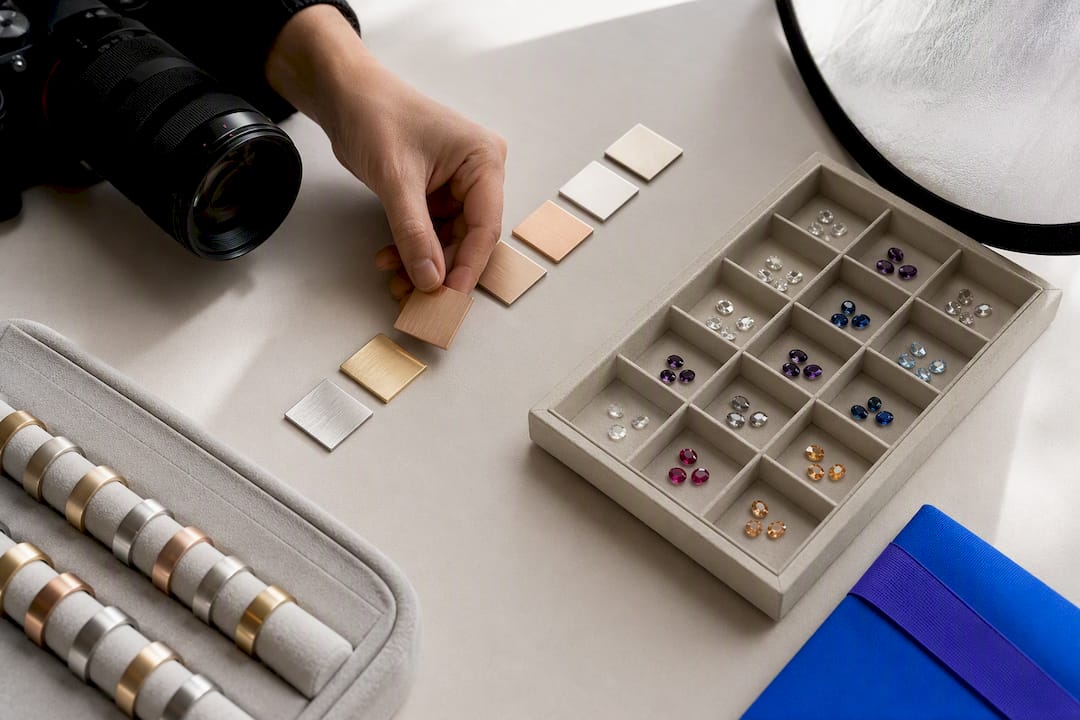
Nothing tanks conversion faster than a shopper selecting “rose gold” and seeing a yellow gold photo. Variant-image apps solve this by attaching a dedicated photo set, and sometimes video or a 3D model, to each specific option combination, storing the assignment in metafields that feed your storefront and channels like Google Shopping, according to Craftshift’s guide to Shopify jewelry variant images.
For any variant priced above your average order value, aim for at minimum four shots:
- A hero image showing the full piece.
- A macro shot of the stone or setting detail.
- A side profile showing depth and proportion.
- A scale reference, a hand or ring sizer, so buyers gauge size accurately.
Turntable video helps most on engagement rings and other high-consideration purchases. Per-variant galleries and image swatches, rather than flat color-dot swatches, have been found to improve add-to-cart rates compared to dropdown-only selectors, according to industry data compiled by Craftshift. A Shopify community thread on variant-specific images confirms this is one of the most common storefront fixes retailers request.
If shooting every metal and stone combination isn’t realistic, photograph each metal option and each stone option separately, then assign at the option level rather than the full variant. Prioritize your best-selling combinations for full photo sets first. Real product thumbnails as swatches, not generic color chips, and pill-button or dropdown selectors for size round out a gallery that actually matches what ships.
How Do You Track Inventory for Metals and Gemstones?
Jewelry inventory carries two layers most retail systems weren’t built for: piece count and metal weight. A single ring record needs to track both, plus purity, because the value of your stock moves with live metal rates even when the piece count doesn’t change. Recording gross weight, stone weight, net weight, and pure weight on each record lets you revalue inventory accurately as gold and platinum prices shift, according to ZSolTech’s jewelry inventory management guidance.
Component-based inventory is what makes this manageable once you’re selling made-to-order or one-of-a-kind pieces. Instead of treating a finished ring as one atomic unit, you map it as an assembly: the setting, the band, and the center stone each get their own virtual SKU. A shared setting design that pairs with three different center stones becomes one component record referenced by three finished-product listings, rather than three separate inventory entries duplicating the same setting cost.
Certificates matter here too. A GIA or IGI certificate needs to tether to the specific component’s unique ID, not just the product listing, so the paperwork follows the stone through every channel it’s listed on, per Valigara’s guide to scaling SKU complexity.
Practical building blocks worth adopting are:
- Barcode every physical piece, no exceptions, even for lower-value stock.
- Add RFID tagging for high-volume lines where manual stock takes eat too much staff time.
- Store gross, net, and pure weight fields separately, never as one blended number.
- Link every certificate number to a component ID, not a product listing.
What Is a Kill Switch, and Why Does It Matter for Unique Pieces?
A Kill Switch is the automated trigger that pulls a listing the instant its underlying component sells or drops to zero inventory. It exists because a one-of-a-kind sapphire or a made-to-order setting can’t be oversold the way a mass-produced item can, apologizing to a customer for canceling their engagement ring order is a different category of problem than a delayed t-shirt shipment. Component-based inventory paired with a Kill Switch is now considered standard practice for unique gemstones and made-to-order pieces, according to Valigara’s 2026 guide.
Building it out takes a few coordinated steps:
- Wire webhooks so an inventory change fires instantly to every connected channel, not on a delayed batch schedule.
- Keep SKUs consistent across platforms so the sync mechanism can actually match records without a manual mapping table.
- Add a reserve-on-cart rule for high-value items, holding stock for a short window once it enters checkout.
- Flag anything above a set price threshold for manual approval before the sale finalizes.
- Run a monthly test: manually zero out a test SKU and time how long it takes to disappear from every channel.
Pro Tip: Check your webhook logs weekly, not just when something breaks. A failed webhook that goes unnoticed for a month is how a sold stone ends up back on your homepage.
How Do You Automate Pricing When Metal Prices Change?
Manual repricing spreadsheets fall apart the moment your SKU count passes a few hundred. The fix is a formula every finished piece can run through automatically: design base cost, plus metal weight multiplied by the current spot price, plus stone premium, plus labor. Ring sizes complicate this further because a larger size uses more metal, so a PIM that treats size as a live data field, not a static label, can adjust material cost and price automatically as size changes, per Valigara’s variation management guide.
Gold feed syncs pull daily spot rates and push recalculated prices to every connected channel, which removes the lag between a metal price swing and your storefront reflecting it. Depending on your setup, this recalculation lives in one of a few places:
- A dedicated IMS, PIM, or ERP handling automated repricing on a schedule.
- Platform-native rule engines, like Shopify Functions, for conditional pricing logic.
- A hybrid setup where the PIM calculates and a lightweight sync pushes updates out.
Whatever you choose, keep a changelog. Every price change should hit the master PIM first, then propagate outward, never the reverse, according to Branvas’s SKU governance notes. That order prevents race conditions where two systems disagree about the current price mid-sale.
How Do You Keep the Warehouse and the Website in Sync?
The SKU has to be the primary key on every order, full stop, and any third-party logistics partner needs to pick against that same field rather than a description or internal item number. Mismatches here are where most oversell and mis-pick incidents actually originate.
A few audit habits catch problems before customers do:
- Run a monthly comparison between your master SKU list and every live platform export.
- Generate a duplicate-SKU report; duplicates are usually the first sign someone bypassed the naming rule.
- Reconcile piece counts against gram totals for high-volume metal lines.
- Attach a tray or bin location to every SKU so pickers aren’t hunting.
- Scan at both pick and pack stages, then verify again at final packaging.
Fulfillment sync failures trace back to inconsistent or missing SKUs and a lack of change control far more often than to any platform bug, per a Sectionly case study on personalized jewelry fulfillment. Master data has to stay the single source of truth, with every change logged and an owner assigned before it touches a live channel.
Pro Tip: Assign one person as the SKU owner. When everyone can edit the master file, no one is actually responsible for it.
What Does a 90-Day Variant Management Rollout Look Like?
Trying to fix everything simultaneously is how these projects stall. A phased approach gets you real wins early while the harder infrastructure work catches up.
- Weeks 1 to 2: Bulk-fill missing SKUs using your fixed naming pattern; start with your top 50 sellers.
- Weeks 2 to 4: Assign proper variant images to those same top sellers and tag any unique gemstones or components in your system.
- Weeks 4 to 6: Stand up basic monitoring, a duplicate-SKU report and a manual oversell check, even before automation exists.
- Weeks 6 to 9: Configure your gold feed sync and build out Kill Switch webhooks for one-of-a-kind inventory.
- Weeks 9 to 13: Consolidate everything into a proper PIM or IMS and retire the old spreadsheet for good.
Track four numbers as you go: oversell incidents per month, pick accuracy at the warehouse, average time to publish a new variant, and inventory valuation variance against live metal rates. If those four trend the right direction, the system is working.
Why Variant Discipline Separates Scale From Chaos
The jewelry retailers who scale smoothly and the ones who drown in customer complaints usually have the exact same product mix. The difference is never the merchandise. It’s whether someone enforced SKU discipline before the catalog hit 500 items instead of after.
I’ve watched this pattern play out across enough retail operations to trust it: the businesses that treat variant architecture as a launch requirement, not a cleanup project, spend far less time firefighting oversells and mismatched listings. Structured product data, the kind JewelCloud’s product feed delivers to retail partners, and configurator tools like RingBuilder exist precisely because manual variant tracking doesn’t survive contact with a real catalog past a few hundred SKUs.
— Anthony
Where JewelCloud Fits Into Your Variant Management Setup
If your team is still hand-updating spreadsheets every time a supplier changes a stone or a metal price shifts, you’re doing manually what a structured feed handles automatically. JewelCloud’s Product Feed delivers standardized, variant-specific vendor data, including the images and attributes each option actually needs, directly to your storefront, so you’re not rebuilding gallery assignments by hand for every new drop.

For retailers offering configurable engagement rings, RingBuilder handles the variant logic on the front end, letting shoppers build their own combination without you maintaining a thousand individual listings. Diamond dealers and suppliers looking to distribute structured data to qualified retail partners can explore DiamondLink, or start with a Vendor Membership at $1,500 per month to publish product data across the network. If you’re not sure which piece solves your specific bottleneck, request a walkthrough of the JewelCloud platform and we’ll map your current catalog structure to the right starting point.
Sources
For hands-on implementation detail beyond this guide, Craftshift’s variant image walkthrough covers per-variant media setup step by step. Branvas’s SKU architecture guide digs into Shopify’s option-field constraints in more technical depth, and ZSolTech’s inventory documentation expands on weight-based valuation methods for metal stock.
- Shopify jewelry variant images guide — Craftshift
- Jewelry product variation management: the 2026 guide to scaling SKU complexity — Valigara
- Jewelry inventory management software — ZSolTech
FAQ
How Do I Assign Different Images to Each Product Variant?
Use a variant-image app or metafields that link a specific photo set to each option combination, rather than relying on one shared gallery for the whole product. Aim for at least four images per high-value variant, hero, macro, side, and scale, and add turntable video for engagement rings, following Craftshift’s imaging guidelines.
What Is a Kill Switch in Jewelry Inventory Management?
A Kill Switch is an automated rule that instantly delists a product across every sales channel the moment its underlying component, a unique stone or made-to-order setting, sells or hits zero stock. It’s considered essential for one-of-a-kind inventory, according to Valigara’s variation management guide.
Does Shopify Limit How Many Variants a Jewelry Product Can Have?
Shopify’s option fields cap out before most jewelry catalogs need them to, forcing workarounds like splitting products by metal type or using metafields and option apps to display additional choices, per Branvas’s Shopify SKU breakdown.
What Should a Jewelry SKU Format Actually Look Like?
A workable format follows a fixed attribute order separated by hyphens, such as BASE-METAL-SIZE-STONE, so any system can parse it without a manual lookup table. JewelCloud’s SKU strategy guidance recommends locking this pattern before loading products, since renaming SKUs after your catalog scales past a few hundred items becomes a major project.
How Much Does JewelCloud’s Vendor Membership Cost?
JewelCloud’s Silver Vendor Membership is $1,500 per month. Gold membership pricing is available on request through the JewelCloud site.